Firebase Setup
Follow these instructions to connect your Admin Panel and Web application with Firebase backend services.
Web Firebase Setup
After registration, Firebase will provide a configuration object containing apiKey, authDomain, projectId, etc.
- You will need to copy this script and paste it into your project’s environment files or initialization logic.
- Security Note: While these keys are public, ensure you use Firebase Security Rules to protect your data later.
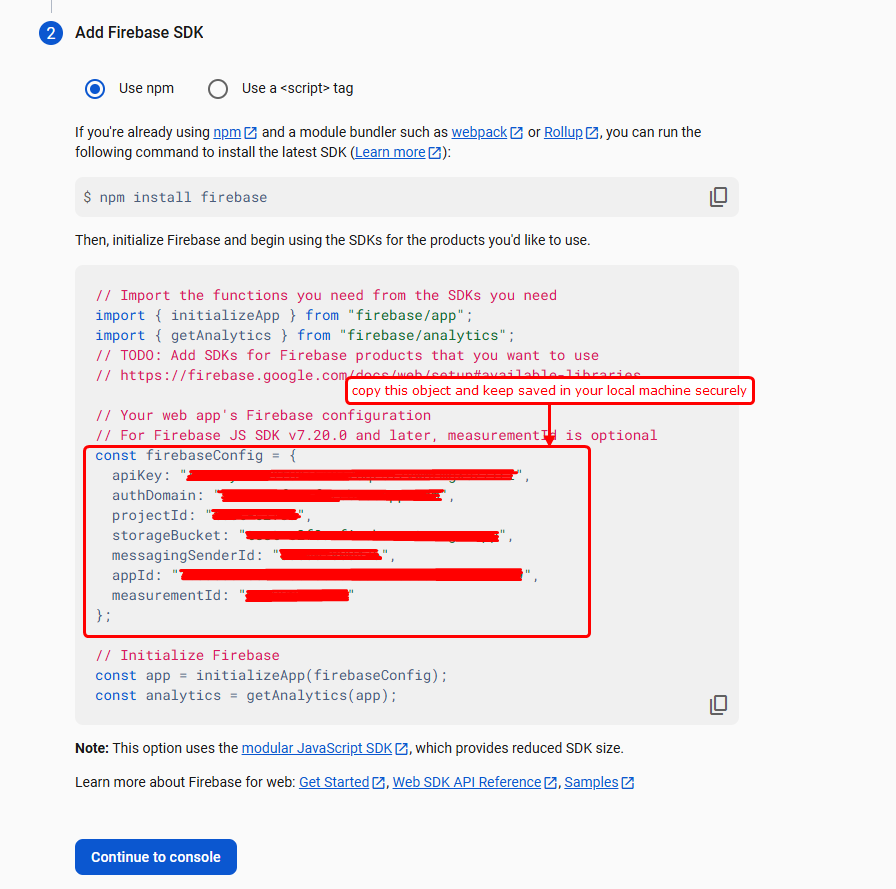
Firebase SDK Configuration Keys
Get Started
Create a project at Firebase Console
For more details click here to see the full Firebase setup guide.
Need help? If you’re stuck on any step, the detailed documentation link above covers everything from project creation to final configuration.