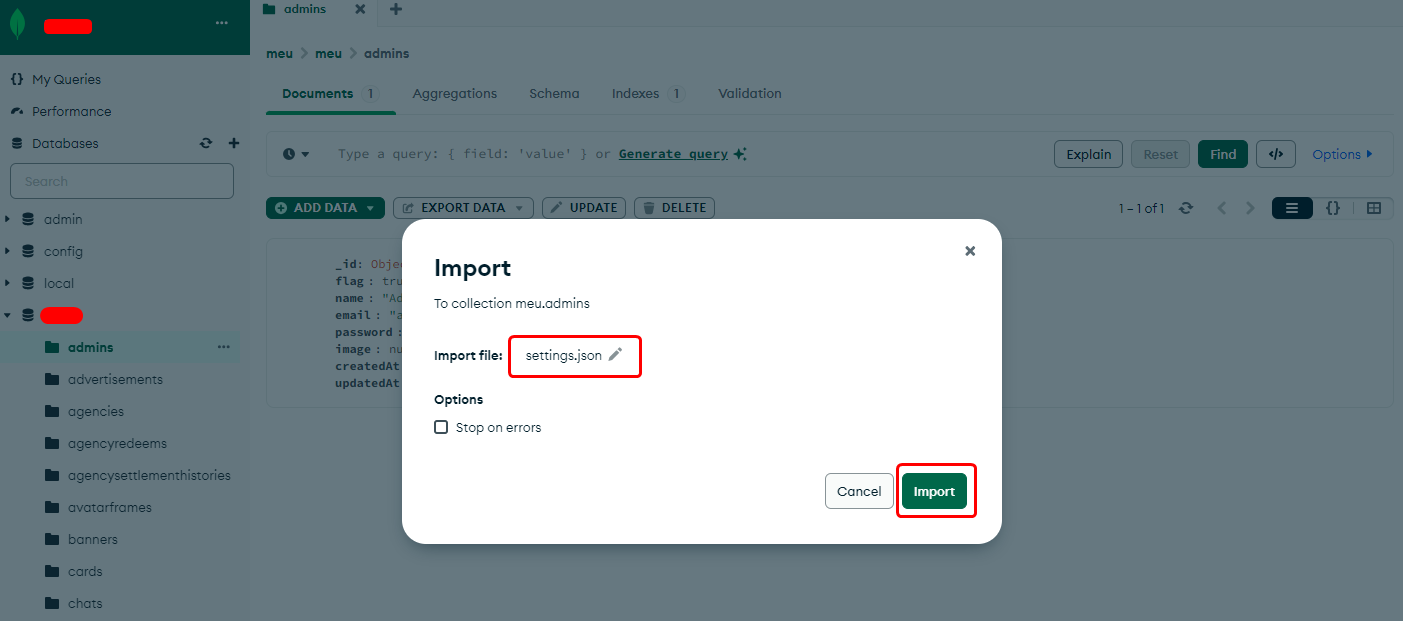
Import MongoDB Data
After setting up your server, you need to import the initial database structure to make the app functional.
Download MongoDB Compass
MongoDB Compass is the GUI that allows you to manage your database easily.
Official Link: Download MongoDB Compass
Get Your Connection String
After you successfully ran the install.sh script, a connection string was generated. It looks like this:
mongodb://admin:YOUR_PASSWORD@YOUR_SERVICE_IP:27017/
⚠️
Ensure you have your Admin Password ready before trying to connect.
Open MongoDB Compass
Open the application and prepare to set up a new connection.
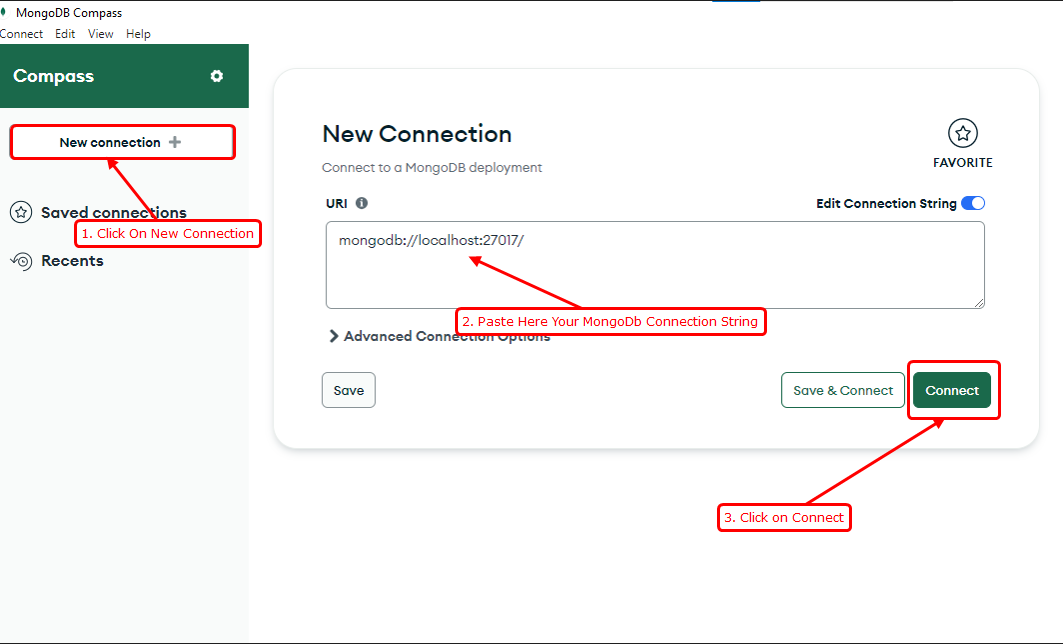
Connect to Your Database
Paste your connection string and establish the session.
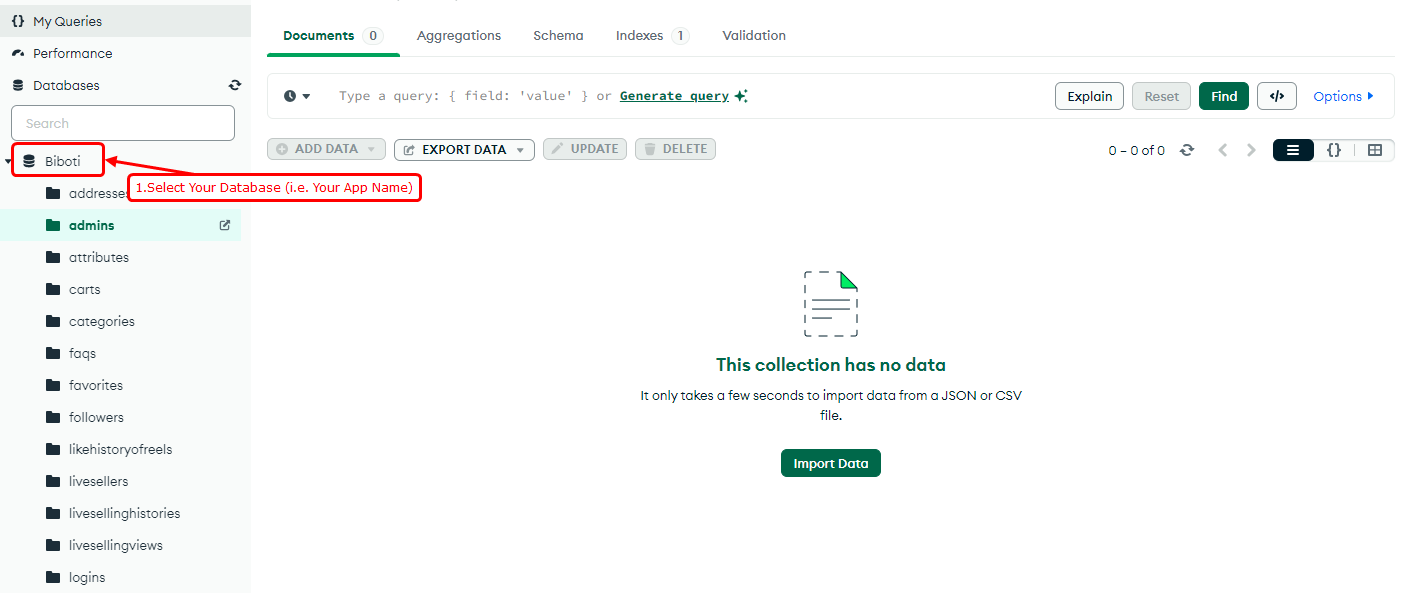
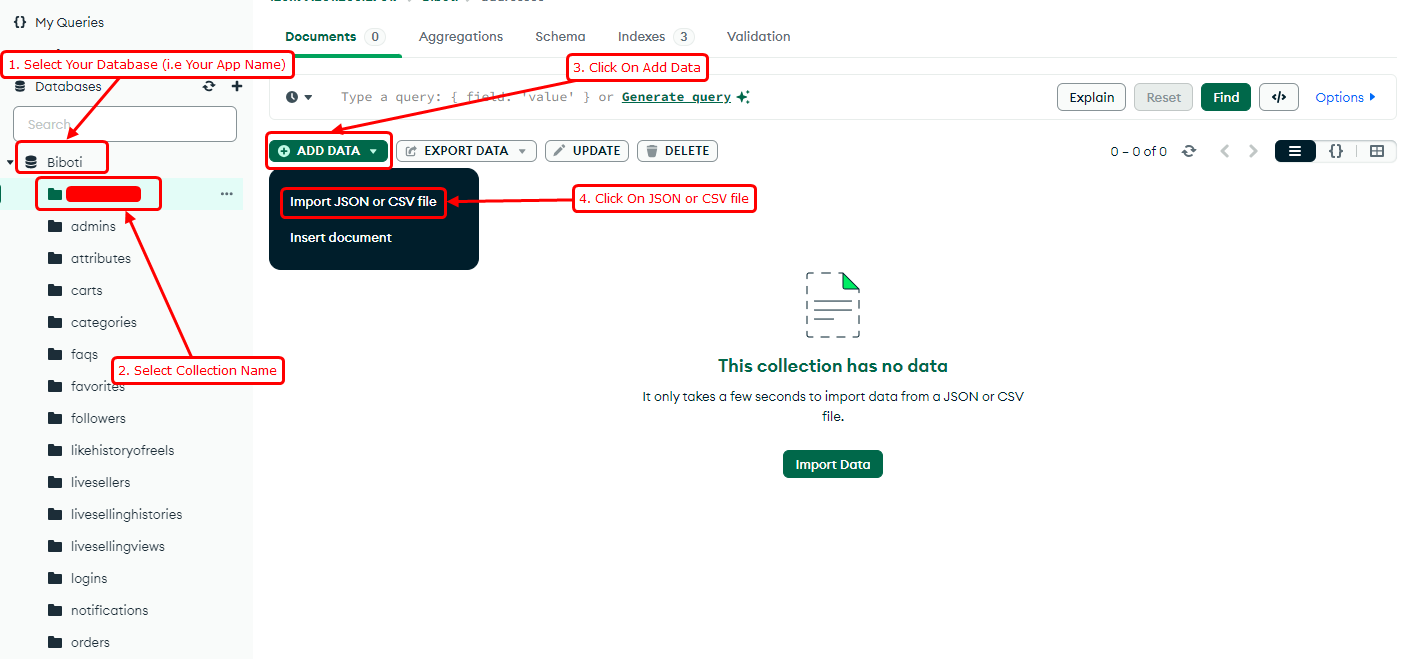
Select Collection and Import
Navigate to the desired database and collection where you want to import your data.
Upload JSON/CSV Files
Select the files from your local machine to upload them into the database.